





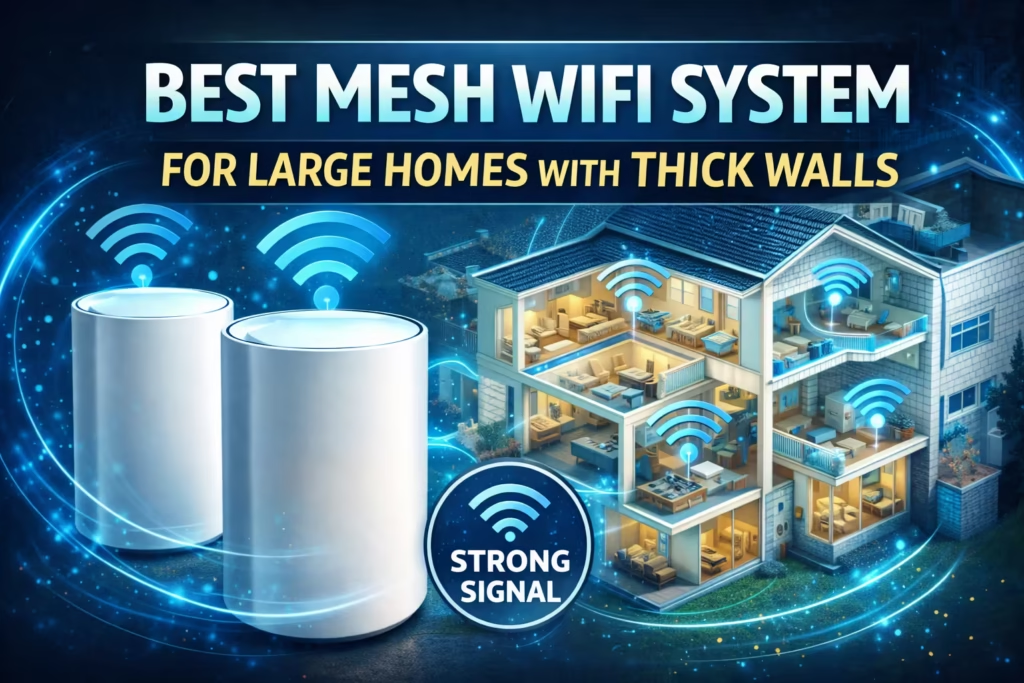
If you live in a 4,000 to 10,000 sq ft home, you already know the frustration.
The WiFi works perfectly in the living room — but the second you walk upstairs, step into the basement, or move to the far end of the house, everything falls apart. Netflix starts buffering. Your gaming session spikes to 200ms latency. Zoom freezes mid-presentation. Smart cameras disconnect. Your expensive internet plan suddenly feels useless.
The real problem? Most traditional routers were never designed for large American homes.
A single router struggles to push a strong signal through multiple floors, concrete walls, insulation, metal appliances, and long hallways. Even “high-performance” routers create uneven signal distribution, leading to dead zones, inconsistent throughput, and unstable connections when dozens (or hundreds) of devices compete for bandwidth.
And in 2026, that’s not acceptable.
Today’s large households run:
- 4K and 8K streaming
- Online gaming
- Remote work and video conferencing
- Smart home ecosystems with 50–200+ IoT devices
- Security cameras, smart TVs, tablets, and gaming consoles
This is exactly where modern WiFi 7 mesh systems change the game.
With Multi-Link Operation (MLO), 4K-QAM, 320 MHz channels, and advanced dedicated backhaul technology, WiFi 7 mesh systems deliver dramatically higher speeds, lower latency, better device management, and seamless roaming across your entire property — from basement to backyard.
This guide is specifically written for:
- 2-story and 3-story homeowners
- 5,000+ sq ft properties
- Smart home power users
- Remote workers needing rock-solid Zoom reliability
- Families with 50–200+ connected devices
- Gamers who demand ultra-low latency
In this in-depth review, you’ll discover:
- The best mesh WiFi systems for large homes in 2026
- Which system handles 10,000 sq ft without dead zones
- Tri-band vs quad-band differences that actually matter
- Which system supports 200+ or even 600+ devices
- Which option offers the best balance of performance and value
If you’re ready to eliminate buffering, lag, and dropped calls permanently, this guide will help you choose the right system the first time — without overspending or underbuying.
Quick Comparison Table: Best Mesh WiFi Systems for Large Homes (2026)
If you want the short answer before diving deep, here’s how the top systems compare side-by-side. These models are engineered for large U.S. homes ranging from 4,500 to 10,000 sq ft.
| Model | Max Speed | Coverage | Device Capacity | Band Type | Multi-Gig Port | Best For |
|---|---|---|---|---|---|---|
| NETGEAR Orbi 970 Series (RBE973S) | Up to 27 Gbps | Up to 10,000 sq ft | 200 devices | Quad-Band WiFi 7 | 10 Gig | Luxury estates & max performance |
| NETGEAR Orbi 770 Series (RBE773) | Up to 11 Gbps | Up to 8,000 sq ft | 100 devices | Tri-Band WiFi 7 | 2.5 Gig | Large family homes |
| TP-Link Deco 7 Pro BE63 | Up to 10 Gbps | Up to 7,600 sq ft | 200+ devices | Tri-Band WiFi 7 | 4×2.5G Ports | Smart homes with heavy IoT |
| NETGEAR Orbi 370 Series (RBE373) | Up to 5 Gbps | Up to 6,000 sq ft | 70 devices | Dual-Band WiFi 7 | 2.5 Gig | Budget WiFi 7 upgrade |
| TP-Link Deco BE25 | Up to 5 Gbps | Up to 6,600 sq ft | 150+ devices | Dual-Band WiFi 7 | 2×2.5G Ports | Value-focused large homes |
| Amazon eero Pro 7 | Up to 3.9 Gbps wireless / 5 Gbps wired | Up to 6,000 sq ft | 600+ devices | Tri-Band WiFi 7 | Dual 5GbE | Tech-heavy households |
| Amazon eero 6+ | Gigabit class | Up to 4,500 sq ft | 75+ devices | Dual-Band WiFi 6 | 1 Gig | Affordable large-home solution |
Key Observations Before You Choose
- Largest Coverage: Orbi 970 (10,000 sq ft)
- Most Future-Proof: Orbi 970 (Quad-Band + 10G port)
- Best for 200+ Devices: Deco 7 Pro BE63
- Highest Device Scalability: eero Pro 7 (600+ devices)
- Best Mid-Tier Balance: Orbi 770
- Best Budget WiFi 7: Orbi 370 or Deco BE25
- Best Affordable Option (Non-WiFi 7): eero 6+
What This Table Tells You
- If your home is 7,000–10,000 sq ft, quad-band or high-end tri-band is essential.
- If you run dozens of smart devices, device capacity matters more than raw speed.
- If you pay for multi-gig fiber (2.5G–5G–10G), you need matching WAN ports.
- If you only have gigabit internet, spending on 27 Gbps WiFi may be unnecessary.
How to Choose the Best Mesh WiFi System for Large Homes
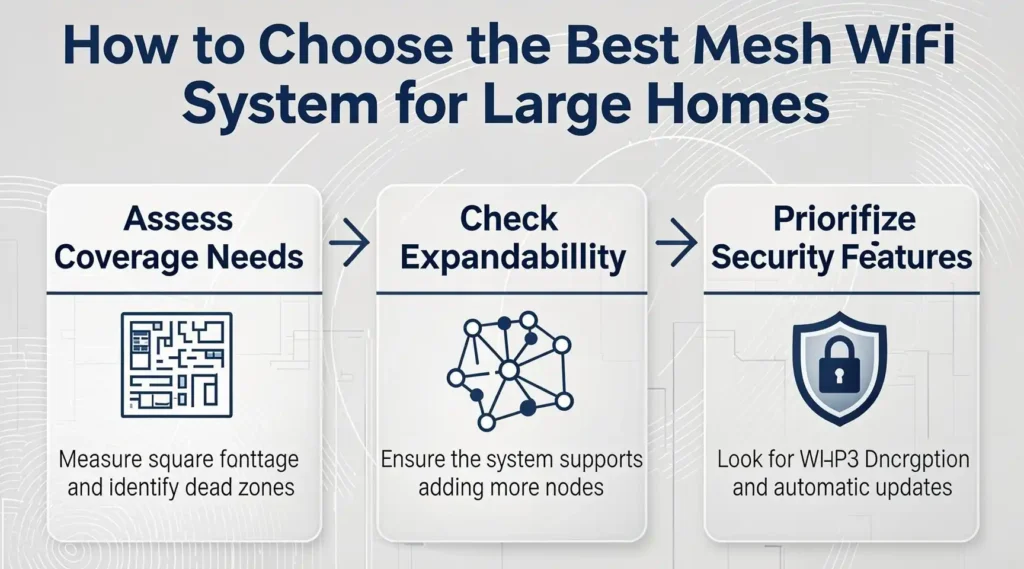
Selecting a mesh WiFi system isn’t just about picking the most expensive model. For large homes — especially those with multiple floors, thick walls, or dozens of connected devices — key performance factors directly impact your daily experience. Below is a practical breakdown of what matters most so you can decide with confidence.
📍1. Coverage: Square Footage Isn’t Just a Number
When shopping for mesh WiFi for large homes (4,500–10,000 sq ft), coverage isn’t linear — it’s exponential.
- A router that “covers 5,000 sq ft” in open space can drop to half that once walls, appliances, and floors interfere.
- Mesh systems use nodes (satellites) that distribute signals evenly throughout your property.
- More nodes = fewer dead zones.
Decision Rule:
- 4,500–7,000 sq ft → 2–3 node systems
- 7,000–10,000+ sq ft → 3–4 node systems
- Extra nodes for garages, basements, patios
Tip: Place satellites near stairwells and central halls to maximize coverage.
⚡2. Speed: WiFi 7 vs WiFi 6 — Does It Matter?
Speed determines how fast data reaches your device — but real-world WiFi performance also depends on interference, distance, and device load.
📡 WiFi 7 Highlights
✔ Up to 27 Gbps theoretical
✔ Supports 320 MHz channels
✔ Multi-Link Operation (MLO) for simultaneous transmissions
✔ Better interference handling
This makes WiFi 7 ideal for:
- Multi-floor homes
- Heavy streaming and downloads
- 4K/8K media
- Large smart home device counts
📡 WiFi 6 Still Works If:
- Your home is closer to ~4,500 sq ft
- You don’t have many high-speed devices
- Budget is a priority
Bottom Line: If you invest in a mesh system for 2026 and beyond, WiFi 7 gives the best long-term value.
📶3. Backhaul Matters — Wired Is Best
“Backhaul” is how nodes communicate with each other.
- Dedicated wireless backhaul: Best balance of speed + flexible placement
- Wired backhaul (Ethernet): Best stability and maximum throughput
Pro Tip: If you can run Ethernet between nodes, do it — especially for ultra-large homes.
📱4. Devices Supported — Don’t Guess, Plan Ahead
If you have:
- Smart TVs
- Game consoles
- Smartphones
- Tablets
- Smart locks, lights, plugs
Your system needs to handle 50–200+ devices without dropping performance.
Look at:
- Stated device capacity
- QoS (Quality of Service)
- Load balancing capabilities
Example: Some mesh systems support 600+ devices multitasking without lag.
🔐5. Security & Parental Controls
Large homes often mean many users — and many risks.
Good systems offer:
- WPA3 encryption
- Built-in router-level protection
- AI threat detection
- Parental filters
- Access scheduling for kids
Some include subscriptions for advanced security — worth it if you value online safety.
💡6. Multi-Gig Ports — Future Proof Your Network
If you’re paying for high-end fiber internet (2.5 Gbps, 5 Gbps, or 10 Gbps), make sure the system has:
- Multi-Gig WAN ports
- Multi-Gig LAN ports
This ensures your WiFi system isn’t holding back your internet speed.
🏆7. Brand Ecosystem & App Usability
Mesh systems differ in:
- App setup ease
- Voice assistant integration
- Guest networking
- Ongoing firmware updates
A well-designed app makes setup painless and gives better ongoing management.
Final Selection Blueprint
| Goal | Recommended Focus |
|---|---|
| Maximum Coverage | Quad-band WiFi 7 + Dedicated Backhaul |
| Device-Dense Smart Home | High-capacity tri-band with robust load handling |
| Budget-Friendly Mesh | Dual-band WiFi 7 / WiFi 6 mesh |
| Gigabit+ Internet Plans | Systems with multi-gig WAN/LAN ports |
Understanding these selection criteria will save you from costly mistakes and ensure the network you choose delivers consistent performance throughout every corner of your home — whether you’re streaming 8K movies, hosting video calls, or connecting hundreds of smart devices.
1. Best Overall Mesh WiFi System for Large Homes
NETGEAR Orbi 970 Series (RBE973S)
If you want maximum coverage, blazing speeds, and the future-proofing to power a large home — including multi-story properties and heavy traffic environments — this system consistently stands above the rest.
📌 Who This System Is Best For
- 🌟 Homes 7,000–10,000+ sq ft
- 💻 Households with 200+ connected devices
- 📺 Families streaming 4K/8K on multiple TVs
- 🎮 Gamers demanding low latency
- 🏢 Smart homes with dozens of IoT devices
- ⚡ Users with multi-gig internet plans
In other words: if you want every corner of your house to get strong, reliable WiFi with minimal dead zones, the Orbi 970 delivers.
🔍 Key Specifications
| Feature | Details |
|---|---|
| WiFi Standard | WiFi 7 (802.11be) |
| Maximum Speed | Up to 27 Gbps |
| Bands | Quad-Band (1×2.4 GHz + 2×5 GHz + 1×6 GHz) |
| Coverage | Up to 10,000 sq ft |
| Device Capacity | ~200+ devices |
| Backhaul | Dedicated Quad-Band Backhaul |
| Multi-Gig Support | 10 Gig WAN/LAN port |
| Security | WPA3 + Built-in router protection |

- Orbi 970 Series with WiFi 7 unleashes speeds up to 27Gbps for unparalleled performance and coverage for your whole home,…
- WiFi 7 delivers 2.4x faster speeds than WiFi 6 and is fully backward compatible with older WiFi devices
- From 8K streaming to video conferencing, gaming, VR, and more, Orbi ensures your family can accomplish it all at once
🚀 Performance & Real-World Experience
Blazing Speeds
With theoretical throughput up to 27 Gbps, this Orbi system doesn’t just push data fast — it keeps speeds high even under load. In real-world scenarios, this translates to:
- Seamless 8K video streaming in multiple rooms
- Ultra-responsive cloud gaming
- Fast large file transfers between devices
- Smooth Zoom/Teams calls from any corner of the house
Even if you have 300+ devices, the Orbi 970 manages traffic intelligently, minimizing packet collisions and congestion.
🏡 Coverage: No Dead Zones
Thanks to its quad-band architecture and dedicated backhaul channel, this system creates a mesh grid that blankets every floor — including:
- Basements
- Garages
- Attics
- Outbuildings
- Outdoor patios (with proper node placement)
Standard routers often rely on a single band to communicate with satellites, leading to signal drop-off as you move farther away. The Orbi 970’s dedicated backhaul ensures satellites stay connected at high speeds, improving coverage and stability.
🧠 Intelligent Features That Matter
Advanced Connectivity
- Quad-Band Backhaul: Keeps node communications fast and interference-free
- Multi-Gig Port: Supports 10 Gig internet plans for maximum performance
- MU-MIMO & OFDMA: Improves performance across dozens of devices
User-Friendly App
The Orbi app makes setup simple, and lets you:
- Monitor connected devices
- Set advanced parental controls
- Run network speed tests
- Customize guest access
Security You Can Trust
- WPA3 encryption
- Built-in threat detection
- Automatic firmware updates
Security becomes more crucial as home devices proliferate — and this system delivers.
👍 Pros
- Top-tier performance — exceptional throughput
- Industry-leading coverage — best for large, multi-story homes
- Dedicated backhaul keeps networks stable
- Supports very high device counts
- Future-proof for 5–10+ years
- 10 Gig port for fastest internet plans
👎 Cons
- Premium price point
- Overkill if your home is < 4,500 sq ft
- Requires three nodes for maximum coverage
📌 Who Should Buy This
Choose the Orbi 970 if you want:
✔ Unmatched WiFi performance for large properties
✔ A system that handles dozens of high-speed devices
✔ Top-tier gaming and streaming performance
✔ The most future-proof mesh system available today
This system isn’t just “good for big homes” — it’s built for them. If your priority is speed, coverage, reliability, and long-term value, this is the best mesh WiFi you can buy in 2026 for large homes.
📌 Who Might Skip It
If you:
- Have a home under ~5,000 sq ft
- Only have gigabit internet
- Don’t run many simultaneous devices
…then less expensive options might meet your needs just as well.
🏁 Quick Verdict
The NETGEAR Orbi 970 Series sets the standard for high-performance mesh WiFi in large homes. With its robust hardware, expansive coverage, dedicated backhaul, and future-ready connectivity, it’s the best overall choice for U.S. homeowners who demand power and reliability without compromise.
2. Best High-Performance Value for Large Homes
NETGEAR Orbi 770 Series (RBE773)
If the Orbi 970 feels like enterprise-grade overkill for your household, the Orbi 770 Series is the smart performance-to-price sweet spot for large U.S. homes.
It delivers true WiFi 7 performance, wide coverage, and strong device handling — without stepping into ultra-premium pricing.
📌 Who This Is Best For
- 🏡 Homes between 6,000–8,000 sq ft
- 👨👩👧👦 Large families with 50–100+ devices
- 🎮 Gaming + streaming households
- 💼 Remote workers needing stable video calls
- ⚡ Homes with 1–2.5 Gig internet plans
This is the ideal system for upper-middle-class homes that want premium performance without paying for a 10 Gig infrastructure they may not need.
🔍 Key Specifications
| Feature | Details |
|---|---|
| WiFi Standard | WiFi 7 (802.11be) |
| Maximum Speed | Up to 11 Gbps |
| Bands | Tri-Band |
| Coverage | Up to 8,000 sq ft |
| Device Capacity | Up to 100 devices |
| Internet Port | 2.5 Gig WAN |
| Backhaul | Enhanced Tri-Band Backhaul |
| Security | Built-in router protection + WPA3 |

- Orbi 770 Series with WiFi 7 unleashes speeds up to 11Gbps for flawless performance and coverage for your whole home, fro…
- WiFi 7 delivers 2.4x faster speeds than WiFi 6 and is fully backward compatible with older WiFi devices
- Orbi Tri-band technology with Enhanced Backhaul ensures WiFi stays fast across all devices simultaneously
🚀 Performance Breakdown
Real-World Speed
With up to 11 Gbps theoretical speed, this system easily handles:
- Multiple 4K streams
- Cloud gaming sessions
- Smart TVs in different rooms
- Large downloads without choking the network
- Simultaneous Zoom calls
While it doesn’t reach the 27 Gbps of the Orbi 970, most households will never saturate even 11 Gbps.
For 1–2 Gig internet users, this system ensures you get the full benefit of your ISP plan.
🏡 Coverage & Signal Strength
With coverage up to 8,000 sq ft, the Orbi 770 is designed for:
- Two-story homes
- Finished basements
- Long hallways and open floor plans
- Attached garages
The tri-band design includes a dedicated backhaul that keeps node-to-node communication fast and consistent. That means fewer speed drops as you move around the house.
Compared to dual-band mesh systems, tri-band significantly improves performance in larger homes because it prevents bandwidth from being split inefficiently.
📡 Device Handling & Stability
Up to 100 devices can run simultaneously without major slowdowns.
That’s ideal for:
- Smart lighting
- Security cameras
- Doorbell cameras
- Tablets, laptops, phones
- Gaming consoles
- Streaming boxes
The system intelligently distributes traffic to reduce congestion — something traditional routers struggle with.
🔐 Security & Smart Features
NETGEAR integrates:
- Automatic firmware updates
- WPA3 encryption
- Advanced router-level protection
- Optional parental controls
For households with kids or work-from-home professionals, built-in network protection adds peace of mind.
The Orbi app also allows:
- Guest network creation
- Device prioritization
- Real-time traffic monitoring
👍 Pros
- Excellent balance of speed and price
- True WiFi 7 performance
- Strong coverage for large homes
- Reliable tri-band backhaul
- Multi-gig (2.5G) support
- Easier on budget than quad-band models
👎 Cons
- Lower device capacity than some competitors
- Not designed for ultra-massive estates (10,000+ sq ft)
- No 10 Gig port
🏆 Why It’s a Smart Buy
The Orbi 770 hits the performance sweet spot.
You get:
✔ Modern WiFi 7 technology
✔ Large-home coverage
✔ Multi-gig readiness
✔ Strong streaming & gaming performance
✔ Long-term future-proofing
But you avoid paying for enterprise-level hardware you may never fully utilize.
🏁 Quick Verdict
For most American homeowners with large 2–3 story homes, the NETGEAR Orbi 770 Series is the most practical high-performance mesh WiFi solution.
It delivers serious speed, reliable coverage, and future-ready connectivity — without crossing into ultra-premium pricing.
3. Best for 200+ Devices & Smart Homes
TP-Link Deco 7 Pro BE63
If your home isn’t just large — but also hyper-connected — this is where the Deco 7 Pro BE63 stands out.
Some families don’t just have 20 devices. They have:
- 6–8 smartphones
- Multiple laptops & tablets
- Smart TVs in every room
- Security cameras inside and out
- Smart locks, thermostats, plugs, bulbs
- Gaming consoles
- Smart speakers
- Work-from-home setups
That’s easily 100–200+ active devices — and many mesh systems begin to choke under that load.
The Deco 7 Pro BE63 is built specifically for device-dense smart homes.
📌 Who This System Is Best For
- 🏡 Homes up to 7,600 sq ft
- 🧠 Smart homes with 150–200+ connected devices
- 🎮 Gaming + streaming families
- 💼 Work-from-home professionals
- ⚡ Users with multi-gig internet plans (2.5G+)
If your priority is stability under heavy device load — this is one of the strongest contenders.
🔍 Key Specifications
| Feature | Details |
|---|---|
| WiFi Standard | WiFi 7 (802.11be) |
| Maximum Speed | Up to 10 Gbps combined |
| Coverage | Up to 7,600 sq ft |
| Device Support | 200+ devices |
| Ports | 4× 2.5G WAN/LAN ports |
| Backhaul | Dual wireless + wired support |
| Security | TP-Link HomeShield |

- 𝗦𝘂𝗽𝗲𝗿𝗰𝗵𝗮𝗿𝗴𝗲𝗱 𝐃𝐞𝐜𝐨 𝟕 𝐏𝐫𝐨 𝗕𝗘𝟭𝟬𝟬𝟬𝟬 𝗧𝗿𝗶-𝗕𝗮𝗻𝗱 𝗪𝗶-𝗙𝗶 𝟳 𝗦𝗽𝗲𝗲𝗱𝘀: Features cutting-edge Wi-Fi 7 technology, including Multi-Link …
- 𝗩𝗮𝘀𝘁 𝗠𝗲𝘀𝗵 𝗖𝗼𝘃𝗲𝗿𝗮𝗴𝗲 & 𝗗𝗲𝘃𝗶𝗰𝗲 𝗖𝗮𝗽𝗮𝗰𝗶𝘁𝘆: The 3-pack mesh system covers up to a vast 7,600 sq.ft. and supports over 200 devi…
- 𝗙𝗼𝘂𝗿 𝟮.𝟱𝗚 𝗪𝗔𝗡/𝗟𝗔𝗡 𝗣𝗼𝗿𝘁𝘀: Includes four 2.5G WAN/LAN ports and a USB 3.0 port, making it an ideal choice for future-proof…
🚀 Performance & WiFi 7 Advantages
The Deco 7 Pro leverages WiFi 7 features like:
- Multi-Link Operation (MLO) – reduces latency and improves reliability
- 4K-QAM – boosts data density
- 320 MHz channels (6GHz band) – wider bandwidth for faster throughput
Real-world performance benefits:
- Lower latency during gaming
- More stable 4K/8K streaming
- Smoother video conferencing
- Faster file transfers
Unlike some systems that focus purely on top-end speed, the Deco 7 Pro balances speed with smart traffic management — ideal for busy households.
🏡 Coverage & Roaming Experience
With 7,600 sq ft coverage in a 3-pack configuration, this system handles:
- Two-story homes
- Large ranch-style homes
- Finished basements
- Long hallway layouts
Its AI-driven seamless roaming allows devices to switch nodes automatically without disconnecting. That means you can walk from basement to bedroom without your Zoom call dropping.
🔌 Wired Backhaul & Multi-Gig Strength
One of the biggest advantages here:
✔ Four 2.5G ports per unit
That’s huge.
This allows:
- Multi-gig internet support
- High-speed wired gaming consoles
- NAS devices
- Wired backhaul between nodes
If your home is pre-wired with Ethernet, you can dramatically increase performance using wired backhaul.
🔐 Security & Smart Features
The built-in TP-Link HomeShield offers:
- Basic network security
- IoT device identification
- Parental controls
- QoS (Quality of Service)
- Security scanning
For families concerned about cybersecurity, this adds strong value without requiring complicated configuration.
👍 Pros
- Supports 200+ devices reliably
- Strong multi-gig wired support
- Excellent smart-home optimization
- AI-powered seamless roaming
- Great price-to-performance ratio
- Wired + wireless backhaul flexibility
👎 Cons
- Slightly less raw speed than ultra-premium models
- Subscription required for advanced security features
- Not designed for 10,000 sq ft estates
🏆 Why It’s the Smart-Home Winner
Large homes today are no longer just about square footage — they’re about connected ecosystems.
If your household runs:
- 40+ smart bulbs
- Multiple security cameras
- Voice assistants
- Gaming consoles
- Remote work equipment
Then device handling stability matters more than peak theoretical speed.
The Deco 7 Pro excels here.
🏁 Quick Verdict
For large, tech-heavy American households, the TP-Link Deco 7 Pro BE63 delivers one of the best balances of:
✔ Speed
✔ Coverage
✔ Device scalability
✔ Wired flexibility
✔ Smart-home optimization
If you want powerful WiFi 7 performance without stepping into ultra-premium pricing — and you run a device-dense home — this is one of the strongest choices available.
4. Best Budget WiFi 7 for Large Homes
NETGEAR Orbi 370 Series (RBE373)
Not every large home needs a 10 Gig backbone or quad-band architecture.
If your house is around 5,000–6,000 sq ft and you want to upgrade to WiFi 7 without paying premium-tier pricing, the Orbi 370 Series is one of the most practical entry points.
It delivers next-gen wireless performance while staying accessible for families that don’t require extreme throughput.
📌 Who This System Is Best For
- 🏡 Homes up to 6,000 sq ft
- 👨👩👧👦 Families with 40–70 devices
- 🎮 Casual gaming + 4K streaming households
- 💼 Remote workers on gigabit plans
- 💰 Buyers wanting WiFi 7 at lower cost
If your home is large but not a smart-device overload, this system fits comfortably.
🔍 Key Specifications
| Feature | Details |
|---|---|
| WiFi Standard | WiFi 7 (802.11be) |
| Maximum Speed | Up to 5 Gbps |
| Coverage | Up to 6,000 sq ft |
| Device Capacity | ~70 devices |
| Band Type | Dual-Band |
| Internet Port | 2.5 Gig WAN |
| Backhaul | Enhanced dual-band |
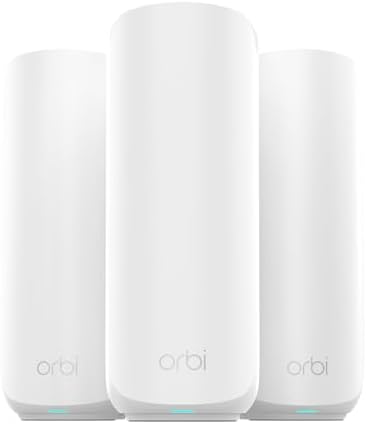
- Orbi 370 Series with WiFi 7 delivers speeds up to 5 Gbps for consistent performance across many devices at once
- WiFi 7 delivers 1.7x faster speeds than WiFi 6, powering your mesh WiFi network and remaining fully backward compatible …
- NETGEAR mesh systems and routers come with security measures built in, including automatic firmware updates. Our Advance…
🚀 Performance Overview
With speeds up to 5 Gbps, the Orbi 370 is more than capable of:
- Multiple 4K streams
- Stable Zoom/Teams calls
- Online gaming
- Fast cloud backups
- Streaming across multiple rooms
While it doesn’t include tri-band or quad-band architecture, its WiFi 7 efficiency improvements still provide better latency handling and signal optimization compared to older WiFi 6 systems.
For most gigabit internet users, 5 Gbps wireless capacity is more than sufficient.
🏡 Coverage & Layout Fit
Up to 6,000 sq ft coverage makes this ideal for:
- Large two-story homes
- Wide ranch-style layouts
- Finished basements
The included router + two satellites create consistent distribution across floors, reducing the weak signal spots common with single-router setups.
📡 Device Handling
Supporting around 70 devices simultaneously, this is ideal for:
- Smartphones & tablets
- 2–4 Smart TVs
- A few gaming consoles
- Security cameras
- Smart thermostats and lighting
If your home exceeds 100 connected devices, a tri-band system may perform better under load. But for most families, this capacity is realistic and sufficient.
🔐 Security & Stability
Like other Orbi models, this system includes:
- WPA3 encryption
- Automatic firmware updates
- Built-in router-level protection
That ensures your network remains protected as new vulnerabilities emerge.
👍 Pros
- Affordable entry into WiFi 7
- Reliable 6,000 sq ft coverage
- 2.5G multi-gig support
- Strong brand reliability
- Good balance of price and performance
👎 Cons
- Dual-band (no dedicated third band)
- Lower device capacity than premium models
- Not ideal for 200+ device smart homes
🏆 Why It’s the Best Budget WiFi 7 Option
The Orbi 370 gives homeowners:
✔ Modern WiFi 7 performance
✔ Large-home coverage
✔ Multi-gig readiness
✔ Stable everyday streaming & gaming
Without paying for quad-band or ultra-high device capacity you may never use.
🏁 Quick Verdict
For large U.S. households wanting to step into WiFi 7 without overspending, the NETGEAR Orbi 370 Series offers excellent value.
It’s not built for mansions or ultra-dense IoT environments — but for typical large family homes, it delivers dependable, future-ready performance at a more approachable price point.
5. Best Dual-Band WiFi 7 Alternative for Large Homes
TP-Link Deco BE25 (3-Pack)
If you want WiFi 7 performance, strong coverage, and better device scalability than entry-level systems — but still want to stay in a reasonable budget range — the Deco BE25 is one of the smartest value-driven picks for large homes.
It fills the gap between basic dual-band systems and more expensive tri-band models.
📌 Who This System Is Best For
- 🏡 Homes up to 6,600 sq ft
- 👨👩👧👦 Families with 100–150+ devices
- 🎮 Gaming + streaming households
- 💼 Work-from-home setups
- ⚡ Users with 1–2.5 Gig internet plans
If you need more device handling than entry-level mesh systems offer — without jumping to premium pricing — this system hits a strong middle ground.
🔍 Key Specifications
| Feature | Details |
|---|---|
| WiFi Standard | WiFi 7 (802.11be) |
| Maximum Speed | Up to 5 Gbps (BE5000 class) |
| Coverage | Up to 6,600 sq ft |
| Device Capacity | 150+ devices |
| Ports | 2× 2.5G WAN/LAN ports per unit |
| Backhaul | Wired + Wireless support |
| Security | TP-Link HomeShield |

- 𝐃𝐞𝐜𝐨 𝟕 𝐒𝐮𝐩𝐞𝐫𝐜𝐡𝐚𝐫𝐠𝐞𝐝 𝐰𝐢𝐭𝐡 𝟒-𝐒𝐭𝐫𝐞𝐚𝐦 𝐁𝐄𝟓𝟎𝟎𝟎 𝐃𝐮𝐚𝐥-𝐁𝐚𝐧𝐝 𝐖𝐢𝐅𝐢 𝟕 – Achieve full speeds of up to 4324 Mbps on the 5GHz band and …
- 𝐒𝐭𝐫𝐨𝐧𝐠 𝐌𝐞𝐬𝐡 𝐂𝐨𝐯𝐞𝐫𝐚𝐠𝐞 𝐃𝐞𝐯𝐢𝐜𝐞 𝐂𝐚𝐩𝐚𝐜𝐢𝐭𝐲 – Cover seamless WiFi coverage up to 6,600 sq. ft. With 4 high-gain antennas and 4 …
- 𝟐 𝐱 𝟐.𝟓𝐆 𝐖𝐀𝐍/𝐋𝐀𝐍 𝐏𝐨𝐫𝐭𝐬 𝐰/ 𝐖𝐢𝐫𝐞𝐝 𝐁𝐚𝐜𝐤𝐡𝐚𝐮𝐥 – Each Deco 7 BE25 unit is equipped with two 2.5 Gbps WAN/LAN ports, offering w…
🚀 Performance & Efficiency
Although it’s a dual-band system, WiFi 7 enhancements still make a noticeable difference compared to WiFi 6 systems:
- Multi-Link Operation (MLO) improves latency stability
- 4K-QAM increases data throughput efficiency
- Better interference management
In real-world scenarios, this means:
- More stable gaming sessions
- Faster large file downloads
- Smooth 4K streaming in multiple rooms
- Reliable remote work video calls
For gigabit or 2.5G internet users, this system delivers more than enough performance.
🏡 Coverage & Large Home Fit
With 6,600 sq ft coverage in a 3-pack configuration, the Deco BE25 handles:
- Two-story homes
- Wide-layout single-floor properties
- Homes with basements
The signal handoff between nodes is smooth, and AI-driven roaming helps maintain strong connections as you move throughout the house.
🔌 Wired Flexibility (Major Advantage)
One of its strongest selling points:
✔ Two 2.5G WAN/LAN ports per unit
This allows:
- Multi-gig internet support
- Wired gaming consoles
- High-speed NAS systems
- Wired backhaul between nodes
For homeowners with Ethernet wiring already installed, wired backhaul can significantly boost overall performance.
🔐 Security & Family Controls
The built-in HomeShield includes:
- Basic network security
- IoT device identification
- Parental controls
- Quality of Service (QoS)
- Weekly/monthly usage reports
For families with kids, device management features add real practical value.
👍 Pros
- Affordable WiFi 7 performance
- Higher device capacity than most dual-band systems
- Multi-gig port support
- Wired backhaul capability
- Strong coverage for large homes
👎 Cons
- Dual-band (no dedicated third band)
- Not ideal for ultra-large estates (8,000–10,000 sq ft)
- Advanced security requires subscription
🏆 Why It’s a Strong Value Pick
The Deco BE25 offers:
✔ Large-home coverage
✔ Strong device handling
✔ Multi-gig readiness
✔ WiFi 7 future-proofing
At a price significantly lower than high-end quad-band systems.
It’s especially attractive for homeowners who want next-gen technology but don’t need extreme 10 Gig performance.
🏁 Quick Verdict
For large U.S. homes that need strong coverage, solid device support, and WiFi 7 efficiency — without paying premium-tier pricing — the TP-Link Deco BE25 is one of the best dual-band mesh systems available today.
6. Best for 600+ Devices & Tech-Heavy Smart Homes
Amazon eero Pro 7
If your home handles a massive number of connected devices — from smartphones and tablets to security sensors, smart lighting, voice assistants, cameras, and more — the eero Pro 7 stands out for its smooth large-network scalability without requiring complicated setup. It’s especially attractive if simplicity, stability, and IoT compatibility matter more than raw top-speed benchmarks.
📌 Who This System Is Best For
- 🏡 Large homes up to ~6,000 sq ft
- 📱 Households with 200–600+ devices
- 🧠 Smart homes with lots of automation
- 🎮 Casual gaming + multi-room streaming
- 🏢 Families juggling work, school, and leisure tech
- 💡 Users who prefer easy setup with strong performance
If your priority is balancing device density + reliability + ease of use, this is one of the best mesh systems available.
🔍 Key Specifications
| Feature | Details |
|---|---|
| WiFi Standard | WiFi 7 (802.11be) |
| Maximum Throughput | Up to 5 Gbps (wireless) / 5 Gbps wired |
| Coverage | Up to ~6,000 sq ft |
| Device Capacity | ~600+ devices |
| Band Type | Tri-Band |
| Ports | Dual 5GbE WAN/LAN |
| Backhaul | Dynamic tri-band backhaul |
| Security | Adaptive security (optional subscription) |

- WIFI AT THE SPEED OF LIFE – eero Pro 7 brings next-generation speed and reliability to home and business networks with h…
- RELIABLE CONNECTIVITY – eero Pro 7 helps eliminate dead spots, so you stay connected across different floors and rooms t…
- PRO-LEVEL SPEED – Support for internet plans up to 5 Gbps with two auto-sensing 5 GbE ports and wireless speeds up to 3….
🚀 Performance & Real-World Use
Smooth Multi-Device Experience
The eero Pro 7 isn’t just fast — it’s built for crowded networks. With its TrueMesh routing architecture plus WiFi 7 enhancements like multi-link operation and 320 MHz channel support (where available), it can juggle hundreds of clients without dropping connections or throttling slower devices.
In real-world environments, this tends to show up as:
- Consistent video calls even when 30+ devices are active
- Multiple 4K streams without buffering
- Reliable smart device responsiveness
- Low-lag cloud gaming across rooms
Optimized for Smart Homes
Many modern homes have dozens of IoT devices that don’t require high bandwidth — but do need consistent connections. eero’s intelligent traffic management handles this gracefully, allocating capacity where it’s needed most.
📶 Coverage & Node Behavior
With a 3-pack setup, typical coverage reaches up to ~6,000 sq ft. That’s plenty for many multi-story layouts, open floor plans, and expanded living spaces.
Node placement is also simplified thanks to the eero app’s guided setup — helping ensure optimal placement even if you’re not network-savvy.
🔌 5 Gigabit Wired Support
What really strengthens the eero Pro 7’s position is the dual 5GbE ports:
✔ True multi-gig internet support
✔ High-speed wired devices (NAS, consoles, printers)
✔ Wired backhaul options
If your ISP delivers more than 1 Gbps — or you plan to upgrade soon — having 5 GbE support ensures your mesh system won’t bottleneck your internet.
🔐 Security & Features
With an optional subscription, the system unlocks advanced security features like:
- Threat detection & intrusion prevention
- Ad blocking
- Device usage insights
- Parental controls and scheduling
Even without a subscription, the core WPA3 protection and regular firmware updates keep your network secure.
👍 Pros
- Excellent support for very high device counts
- Easy setup and management via eero app
- True multi-gig ports (5 GbE)
- Strong whole-home coverage
- Great balance of performance and simplicity
👎 Cons
- Coverage not as high as ultra-premium models (10,000 sq ft+)
- Some advanced features behind subscription
- Not as customizable as enterprise-level systems
🏁 Quick Verdict
For large U.S. homes bursting with smart devices and users who value reliable connectivity and simple management over complexity, the Amazon eero Pro 7 is one of the most compelling mesh WiFi systems available today. It strikes a strong balance of performance, coverage, scalability, and user-friendly design — making it a smart choice for tech-savvy households and busy families alike.
7. Best Affordable WiFi 6 Option for Large Homes
Amazon eero 6+
Not all large homes must upgrade to WiFi 7 right away — especially if your internet plan is under 1 Gbps and your device count is moderate. In these cases, a strong WiFi 6 mesh system can deliver reliable coverage and performance at a significantly lower cost while still serving large layouts extremely well. That’s where the eero 6+ shines.
📌 Who This System Is Best For
- 🏡 Homes up to ~4,500–5,000 sq ft
- 👨👩👧👦 Families with 30–75 connected devices
- 📶 Users on gigabit or sub-gigabit internet
- 🎮 Casual gaming and streaming households
- 💼 Remote work + everyday browsing
If you want solid coverage and performance without paying a WiFi 7 price premium, the eero 6+ delivers dependable results.
🔍 Key Specifications
| Feature | Details |
|---|---|
| WiFi Standard | WiFi 6 (802.11ax) |
| Coverage | Up to ~4,500–5,000 sq ft |
| Device Support | ~75+ devices |
| Maximum Speed | Gigabit-class performance |
| Band Type | Dual-Band |
| Ports | Gigabit WAN/LAN |
| Security | WPA3 encryption |

- GIGABIT SPEEDS FOR LESS – Supports wifi speeds up to a gigabit, without the premium price tag. eero 6+ is our most affor…
- WI-FI 6 GETS A BANDWIDTH BOOST – eero 6+ supports additional wifi bandwidth on the 160 MHz radio channel (that’s just wi…
- CONNECTIVITY YOU CAN COUNT ON – eero 6+ gives you all the connectivity with all the reliability. So you can work from ho…
🚀 Performance Insights
Although WiFi 6 doesn’t reach the multi-gig speeds of WiFi 7, it still offers:
- High throughput for streaming & downloads
- Improved latency handling
- Better interference management vs WiFi 5
- Efficient multi-device communication (OFDMA, MU-MIMO)
For most large homes with typical internet plans, this translates to:
✔ Seamless 4K streaming across devices
✔ Lag-free video calls
✔ Stable performance while working remotely
✔ Sufficient support for casual gaming
If your household doesn’t have 100+ high-demand devices, the eero 6+ hits the sweet spot of performance and value.
🏡 Coverage & Real-World Fit
The eero 6+ comes with enough range to blanket wide floor plans and multi-story layouts up to ~5,000 sq ft, assuming strategic placement of the mesh nodes.
Ideal scenarios include:
- Two-story homes with open layouts
- Ranch-style homes
- Homes with thick interior walls that dampen signals
The eero app guides you through placement to optimize coverage and reduce weak spots, even if you’re not tech-savvy.
🔐 Security & Easy Management
The system includes:
- WPA3 encryption for secure connections
- Automatic firmware updates
- Guest network setup
- Parental controls via the eero app
While it lacks advanced threat filtering without a subscription, it covers the basics well for most households.
👍 Pros
- Affordable and reliable
- Great for typical large homes up to ~5,000 sq ft
- Easy app-based setup and management
- Efficient WiFi 6 performance
- Good for gigabit internet plans
👎 Cons
- Not a WiFi 7 system
- Less ideal for homes with 100+ devices
- Gigabit-only ports limit future multi-gig plans
🏁 Quick Verdict
For large U.S. homeowners who don’t currently need WiFi 7 speeds, the Amazon eero 6+ provides:
✔ Solid range and performance
✔ Simple setup and control
✔ Value-focused pricing
If your priority is reliable coverage and everyday use without a high budget, this is one of the best WiFi 6 mesh systems suited for large homes in 2026.
Side-by-Side Comparison Breakdown
When evaluating the best mesh WiFi systems for large homes, it helps to put core features side by side so you can see how each model stacks up. Below is a detailed comparison focused on the most important buying factors: coverage, speed, device handling, and future-proofing.
🧠 1. Coverage & Range
| Model | Max Coverage | Best for Coverage |
|---|---|---|
| Orbi 970 | 10,000 sq ft | Estates & max range |
| Orbi 770 | 8,000 sq ft | Large family homes |
| Deco 7 Pro | 7,600 sq ft | Smart home coverage |
| Orbi 370 | 6,000 sq ft | Entry-level WiFi 7 |
| Deco BE25 | 6,600 sq ft | Mid-range value |
| eero Pro 7 | ~6,000 sq ft | Tech-heavy homes |
| eero 6+ | ~5,000 sq ft | Affordable WiFi 6 |
👉 Winner: Orbi 970 by far, but most homes under ~8,000 sq ft are well covered by tri-band or balanced systems.
⚡ 2. Speed & Technology
| Model | WiFi Standard | Max Theoretical Speed | Notes |
|---|---|---|---|
| Orbi 970 | WiFi 7 | 27 Gbps | Best for ultra-fast plans |
| Orbi 770 | WiFi 7 | 11 Gbps | Excellent balanced speed |
| Deco 7 Pro | WiFi 7 | ~10 Gbps eq. | Efficient for many devices |
| Orbi 370 | WiFi 7 | 5 Gbps | Entry WiFi 7 |
| Deco BE25 | WiFi 7 | 5 Gbps | Good performance/value |
| eero Pro 7 | WiFi 7 | 5 Gbps | Practical balanced speed |
| eero 6+ | WiFi 6 | Gigabit | Best budget |
✔ WiFi 7 systems dominate for throughput, especially for multi-gig internet plans.
✔ Orbi 970 remains the leader, but tri-band systems deliver the best value.
📶 3. Device Handling & Smart Home
| Model | Device Capacity | Notes |
|---|---|---|
| eero Pro 7 | 600+ devices | Best for high IoT count |
| Deco 7 Pro | 200+ devices | Very strong load handling |
| Orbi 970 | 200+ devices | Great balance |
| Deco BE25 | ~150+ devices | Excellent value |
| Orbi 770 | ~100 devices | Solid for most homes |
| Orbi 370 | ~70 devices | Good mid range |
| eero 6+ | ~75 devices | WiFi 6 limits |
✔ Best for smart home density: eero Pro 7
✔ Best mix of performance & capacity: Deco 7 Pro / Orbi 970
📊 4. Multi-Gig Support (Future-Proofing)
| Model | Multi-Gig WAN/LAN |
|---|---|
| Orbi 970 | 10 GbE WAN/LAN |
| Orbi 770 | 2.5 GbE |
| Deco 7 Pro | 4× 2.5 GbE |
| Deco BE25 | 2× 2.5 GbE |
| eero Pro 7 | Dual 5 GbE |
| Orbi 370 | 2.5 GbE |
| eero 6+ | Gigabit only |
✔ Best future support: Orbi 970
✔ Best wired flexibility: Deco 7 Pro
✔ Balanced multi-gig support: eero Pro 7
🏆 Summary: Top Picks by Goal
| Goal | Best Choice |
|---|---|
| Best overall performance | Orbi 970 |
| Best balanced performance-value | Orbi 770 |
| Best for many smart devices | eero Pro 7 |
| Best for heavy IoT homes | Deco 7 Pro |
| Best budget WiFi 7 | Orbi 370 / Deco BE25 |
| Best affordable WiFi 6 alternative | eero 6+ |
✨ Key Insights for Faster Decision-Making
🏡 Coverage First
If your home is above 8,000 sq ft, prioritize systems with larger coverage ratings and dedicated backhaul. Orbi systems and Deco tri-band mesh shine here.
⚙️ Device Load Matters
Homes with heavy IoT ecosystems or frequent guests require higher device capacity — where systems like eero Pro 7 exceed most competitors.
🔌 Wired Flexibility
If you run multi-gig internet or want to leverage existing Ethernet wiring, pick systems with multi-gig WAN/LAN ports.
This side-by-side comparison helps you make an informed choice based on your unique home layout, device count, and performance goals — not just brand reputation or price tag.
WiFi 7 vs WiFi 6 for Large Homes (2026 Reality Guide)
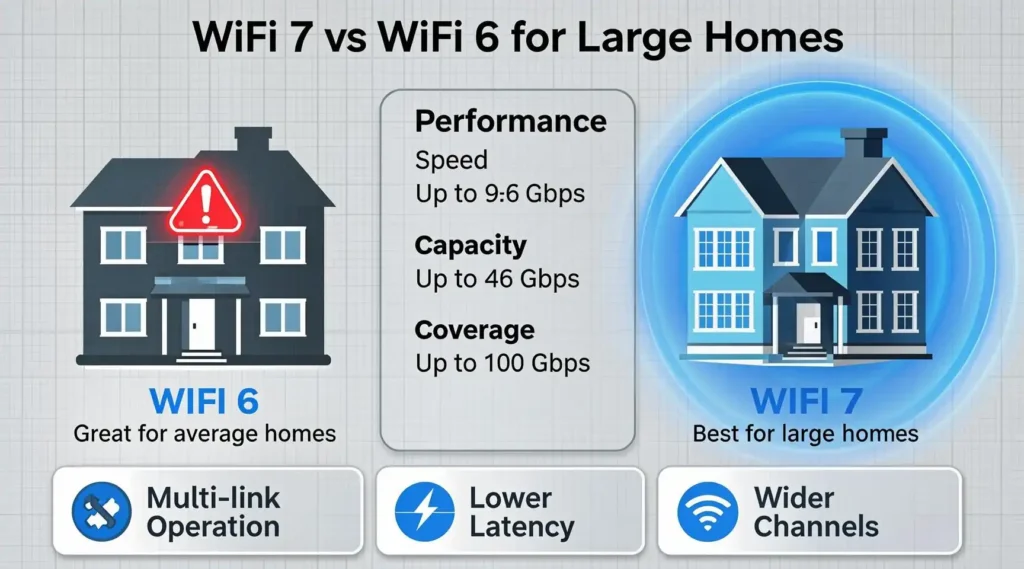
If you’re upgrading your home network, one major question comes up:
Do you really need WiFi 7 — or is WiFi 6 still enough?
For large homes (4,000–10,000 sq ft), the answer depends on device load, internet speed, and how long you plan to keep your system.
Let’s break it down clearly.
🚀 What WiFi 7 Actually Changes
WiFi 7 (802.11be) isn’t just about higher speed numbers. It introduces structural improvements that matter specifically in large homes.
1️⃣ Multi-Link Operation (MLO)
WiFi 7 allows devices to transmit across multiple bands simultaneously (2.4GHz, 5GHz, 6GHz).
Why this matters in big homes:
- Lower latency
- Fewer dropouts while roaming
- More stable gaming & video calls
- Better performance under heavy load
2️⃣ 320 MHz Channels (Wider Lanes)
WiFi 7 doubles channel width compared to WiFi 6.
Think of it like expanding a highway from 4 lanes to 8 lanes.
This means:
- Faster file transfers
- More bandwidth for 4K/8K streaming
- Better handling of multiple high-demand users
3️⃣ 4K-QAM (Higher Data Density)
WiFi 7 transmits more data per signal burst.
In practical terms:
- Higher speeds at closer range
- Better efficiency in dense networks
📡 Where WiFi 6 Is Still Enough
WiFi 6 remains strong if:
- Your home is under ~5,000 sq ft
- You have fewer than 75–100 devices
- Your internet plan is 1 Gbps or less
- You don’t heavily use 8K streaming or cloud gaming
- Budget is your top concern
A system like Amazon eero 6+ can still deliver excellent real-world performance in those scenarios.
🏡 Why WiFi 7 Makes More Sense for Large Homes
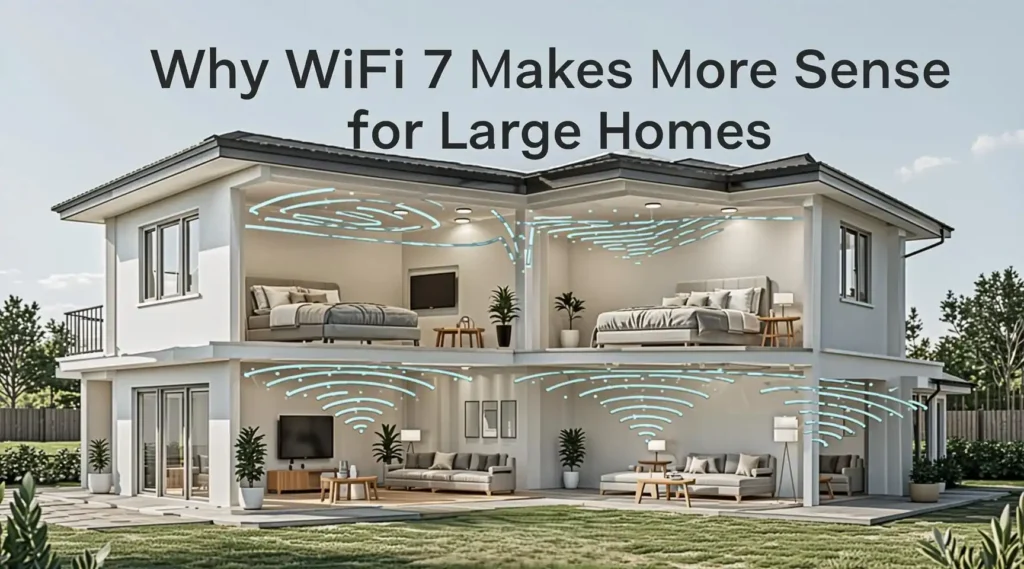
Large American homes create unique challenges:
- Multiple floors
- Thick walls
- Long signal travel distances
- 100+ connected devices
- Simultaneous heavy usage
WiFi 7 systems like:
- NETGEAR Orbi 770 Series (RBE773)
- TP-Link Deco 7 Pro BE63
- Amazon eero Pro 7
…handle these demands far more efficiently due to improved backhaul communication and traffic management.
💰 Future-Proofing Consideration
Internet speeds in the U.S. are increasing rapidly:
- 2.5 Gbps fiber
- 5 Gbps cable
- 10 Gbps emerging plans
If you invest today in WiFi 6, you may upgrade again within 2–3 years.
WiFi 7 systems, especially models with multi-gig ports, are designed to last 5–7 years comfortably.
🏆 Final Decision Framework
Choose WiFi 7 if:
✔ Your home is 5,000+ sq ft
✔ You have 100+ devices
✔ You plan to upgrade internet speeds
✔ You want long-term value
✔ You run heavy gaming/streaming
Choose WiFi 6 if:
✔ Budget is tight
✔ Device count is moderate
✔ Internet is 1 Gbps or less
✔ Home size is smaller
For most large homes in 2026, WiFi 7 isn’t just marketing — it’s a meaningful upgrade in stability, scalability, and longevity.
Installation & Placement Pro Tips for Large Homes
Even the most powerful mesh WiFi system will underperform if installed incorrectly. Large homes require strategic placement to eliminate dead zones and maximize throughput.
Below are expert-level optimization tips most homeowners overlook.
📍 1️⃣ Place the Main Router Strategically
Your primary router (gateway node) should be:
✔ As central as possible
✔ Elevated (on a shelf, not the floor)
✔ Away from metal appliances
✔ Not inside cabinets
Avoid placing it in:
- Basement corners
- Closets
- Behind large TVs
- Near microwaves or breaker panels
The main node distributes signal to satellites — poor placement creates ripple effects throughout the network.
🛰 2️⃣ Satellite Placement Rules
For 2–3 story homes:
- Place one node per floor (minimum).
- Position satellites near stairwells or central hallways.
- Avoid placing them at extreme ends of the house.
Ideal spacing:
📏 30–50 feet apart (depending on wall density)
Mesh nodes should overlap signals slightly — not sit at opposite corners.
🔌 3️⃣ Use Wired Backhaul If Possible
If your home has Ethernet wiring, take advantage of it.
Systems like:
- TP-Link Deco 7 Pro BE63
- NETGEAR Orbi 970 Series (RBE973S)
- Amazon eero Pro 7
Support wired backhaul.
Benefits:
✔ Higher stability
✔ Lower latency
✔ Faster node-to-node communication
✔ Improved performance under heavy load
For very large homes (7,000+ sq ft), wired backhaul can significantly improve consistency.
📡 4️⃣ Optimize Band Usage
If your system supports tri-band or quad-band:
- Allow automatic band steering
- Avoid manually forcing devices to 2.4GHz unless necessary
- Keep firmware updated for performance improvements
WiFi 7 systems automatically optimize traffic using Multi-Link Operation — don’t disable these features.
🧱 5️⃣ Account for Building Materials
Signal killers in large homes include:
- Concrete walls
- Brick fireplaces
- Radiant floor heating
- Metal ductwork
- Large mirrors
If your home contains these materials, you may need:
- An additional node
- Closer spacing between satellites
🎯 6️⃣ Run a Post-Install Speed Test
After installation:
- Test speeds in each room
- Walk the home during a video call
- Check roaming performance
- Identify weak spots early
Reposition nodes before settling permanently.
🏁 Final Tip
Most “bad WiFi” complaints are placement issues — not hardware limitations.
When installed correctly, high-quality mesh systems can deliver consistent, whole-home coverage across thousands of square feet — eliminating buffering, lag, and dropped calls permanently.
Common Mistakes Large Homeowners Make When Buying Mesh WiFi
Upgrading to a mesh WiFi system is a smart move — but many large-home buyers still make avoidable mistakes that lead to frustration, wasted money, or underperformance.
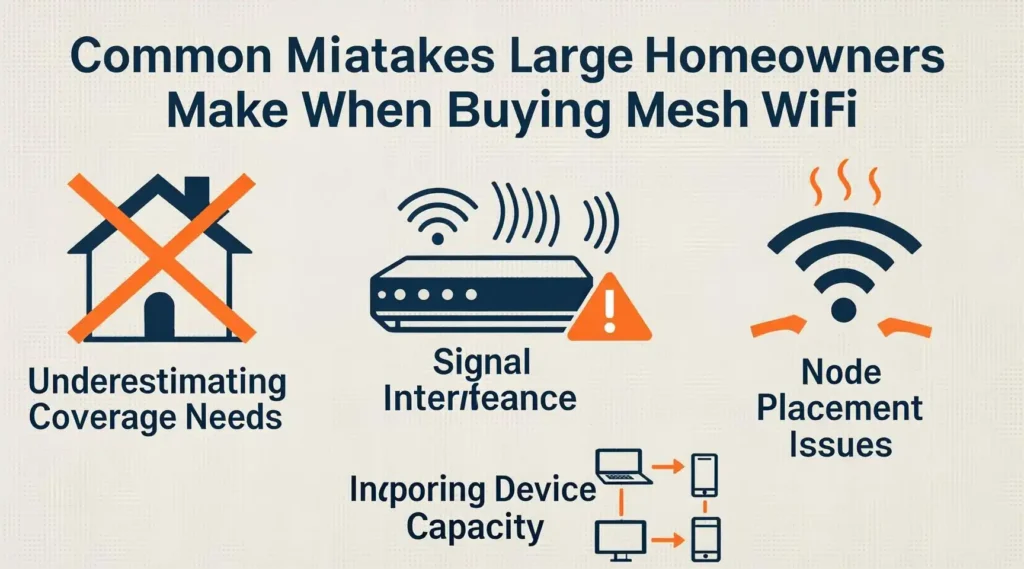
Here are the most common ones.
❌ 1️⃣ Buying a Single High-End Router Instead of Mesh
Even premium standalone routers struggle in 5,000+ sq ft homes.
Why?
- Signal weakens across floors
- Thick walls block propagation
- Devices compete at long range
Mesh systems distribute signal through multiple nodes, eliminating dead zones that a single router cannot fix — regardless of advertised speed.
❌ 2️⃣ Ignoring Device Count
Many households underestimate how many devices they actually run.
Count them:
- Phones
- Laptops
- Tablets
- Smart TVs
- Gaming consoles
- Security cameras
- Smart thermostats
- Smart lights
- Doorbells
- Streaming boxes
It’s common for large homes to exceed 100 devices.
Choosing a lower-capacity system when you need higher scalability can cause congestion and latency spikes.
❌ 3️⃣ Not Matching the System to Internet Speed
If you pay for:
- 2.5 Gbps fiber
- 5 Gbps cable
- Multi-gig internet
But buy a system limited to Gigabit ports — you’re bottlenecking your network.
Look for multi-gig WAN/LAN ports if you want full ISP performance.
❌ 4️⃣ Overpaying for Features You Don’t Need
A 10,000 sq ft quad-band system is unnecessary for a 4,500 sq ft home.
Choose based on:
- Square footage
- Device load
- Internet speed
- Long-term upgrade plans
❌ 5️⃣ Poor Node Placement
Even the best system will struggle if:
- Nodes are placed too far apart
- Main router is in a corner
- Satellites are blocked by metal objects
Placement is as important as hardware.
🏆 Smart Buyer Mindset
Before purchasing, define:
✔ Home size
✔ Device count
✔ Internet plan speed
✔ Smart home usage
✔ Budget ceiling
When you align these factors properly, your mesh system becomes a long-term investment — not a recurring frustration.
Frequently Asked Questions (FAQ)
1️⃣ What is the best mesh WiFi system for a 5,000 sq ft house?
For most 5,000 sq ft homes, a tri-band WiFi 7 system offers the best balance of coverage and performance.
Strong options include:
- NETGEAR Orbi 770 Series (RBE773)
- TP-Link Deco 7 Pro BE63
If you’re on a budget and have under 75 devices, a WiFi 6 system like Amazon eero 6+ may still perform well.
2️⃣ How many mesh nodes do I need for a 2-story house?
For most 2-story homes:
- 4,000–6,000 sq ft → 3 nodes
- 6,000–8,000 sq ft → 3–4 nodes
- 8,000+ sq ft → 4+ nodes
Place one node per floor at minimum. For long layouts, additional nodes improve signal overlap and eliminate dead zones.
3️⃣ Is WiFi 7 worth it for large homes?
Yes — especially if:
- Your home is 5,000+ sq ft
- You have 100+ devices
- You use multi-gig internet
- You plan to keep your system 5+ years
WiFi 7 improves latency, roaming stability, and high-device performance significantly over WiFi 6.
4️⃣ What is dedicated backhaul in a mesh system?
Dedicated backhaul means one wireless band is reserved exclusively for communication between mesh nodes.
Benefits:
✔ Faster node-to-node data transfer
✔ Less congestion
✔ More stable performance
Quad-band systems like NETGEAR Orbi 970 Series (RBE973S) use dedicated backhaul for maximum efficiency.
5️⃣ Can mesh WiFi replace my ISP router?
Yes.
Most mesh systems can replace your ISP’s router completely. You may still need:
- Your ISP modem (or gateway in bridge mode)
- Correct configuration during setup
Mesh systems often provide better coverage and performance than ISP-provided equipment.
6️⃣ Is tri-band better than dual-band for large homes?
Generally, yes.
Tri-band systems provide:
- Better traffic distribution
- Less congestion
- Stronger performance under heavy load
Dual-band systems work well for moderate device counts, but tri-band performs better in larger or busier homes.
7️⃣ Which mesh WiFi system is best for gaming?
For gaming, prioritize:
- Low latency
- Multi-gig ports
- Strong backhaul
Top gaming-ready options include:
- NETGEAR Orbi 970 Series (RBE973S)
- Amazon eero Pro 7
Wired backhaul improves gaming stability significantly.
8️⃣ What is the fastest mesh WiFi system available?
Currently, the fastest mesh system in this list is:
- NETGEAR Orbi 970 Series (RBE973S)
With speeds up to 27 Gbps and 10 Gig support, it is designed for ultra-high-performance households and large estates.
These answers address the most searched concerns large-home buyers have — helping you choose confidently without confusion.
Final Recommendations by Home Type (Quick Buyer Decision Guide)
After analyzing coverage, speed capability, device capacity, and long-term value, here are the best mesh WiFi systems based on real household scenarios. This section helps readers make a fast buying decision without overthinking technical details.
🏆 Best Overall Mesh WiFi for Large Homes
NETGEAR Orbi 770 Series (RBE773)
Why it wins
- Excellent balance of price and performance
- WiFi 7 future-proof technology
- Reliable coverage for large homes
- Multi-gig support for fast fiber plans
Best For
✔ 4,000–8,000 sq ft homes
✔ Large families
✔ Streaming + gaming households
✔ Smart homes with 100+ devices
This system delivers the best overall value for most large American homes in 2026.
🚀 Best Premium WiFi System for Very Large Homes
NETGEAR Orbi 970 Series (RBE973S)
Why it stands out
- Industry-leading speed (up to 27 Gbps)
- Dedicated quad-band architecture
- Massive coverage capability
- 10 Gig wired networking
Best For
✔ 8,000–10,000 sq ft homes
✔ Luxury homes & estates
✔ Ultra-fast fiber internet
✔ Heavy smart home ecosystems
If budget is not a limitation, this system delivers the most powerful home WiFi currently available.
⚙️ Best for Smart Homes with Many Devices
Amazon eero Pro 7
Why it excels
- Handles extremely high device counts
- Advanced smart home compatibility
- Very stable roaming performance
- Easy mobile app management
Best For
✔ Smart homes with 150–600 devices
✔ Alexa ecosystems
✔ Tech-heavy households
💰 Best Value WiFi 7 Mesh System
TP-Link Deco 7 Pro BE63
Why it’s a great deal
- WiFi 7 performance at a lower price
- Strong coverage and speed balance
- Excellent wired port options
Best For
✔ Budget-conscious large homes
✔ Multi-gig internet users
✔ Families wanting WiFi 7 without premium pricing
💸 Best Budget Option (WiFi 6)
Amazon eero 6+
Why it’s still worth buying
- Affordable and reliable
- Easy setup for non-technical users
- Good coverage for mid-large homes
Best For
✔ 3,000–5,000 sq ft homes
✔ Under 75 devices
✔ Internet plans below 1 Gbps
⚡ Quick Decision Table
| If You Want | Best Choice |
|---|---|
| Best overall performance | Orbi 770 |
| Absolute fastest WiFi | Orbi 970 |
| Best for smart homes | eero Pro 7 |
| Best value WiFi 7 | Deco 7 Pro |
| Best budget option | eero 6+ |
🎯 Final Takeaway
For most households upgrading their home network today:
- WiFi 7 mesh systems provide the best future-proof investment.
- Choosing the right system depends on home size, device count, and internet speed.
A properly chosen mesh system will deliver whole-home coverage, faster speeds, and reliable connectivity for years to come.